

6 Reasons Why I Like Inkscape Better Than Illustrator
6 Reasons Why I Like Inkscape Better Than Illustrator https://logosbynick.com/wp-content/uploads/2019/03/inkscape-is-better-1024x602.jpg 1024 602 Nick Saporito https://secure.gravatar.com/avatar/8e31bf392f0ba8850f29a1a2e833cdd020909bfd44613c7e222072c40e031c34?s=96&d=mm&r=gI’ve been using Inkscape on a nearly full-time basis since 2013, and I’ve also been using Illustrator quite regularly since 2015. Having extensive experience with both, I can say for sure that they both have their pros and cons. However, in this post I’m going to make a case for why Inkscape might be a better choice for you than Illustrator.
I don’t necessarily think one application is objectively better than the other — there’s arguments that could made for each. What really matters is if each application has what you need to get the job done, and they both do. And what matters even more than that is the person using them. The person using the tool will always matter more than the tool itself.
That said, since everyone has their own individual needs and priorities, it should really be taken on a case-by-case basis.
Reasons Why Inkscape May Be Better Than Illustrator…
1. It’s a lightweight program
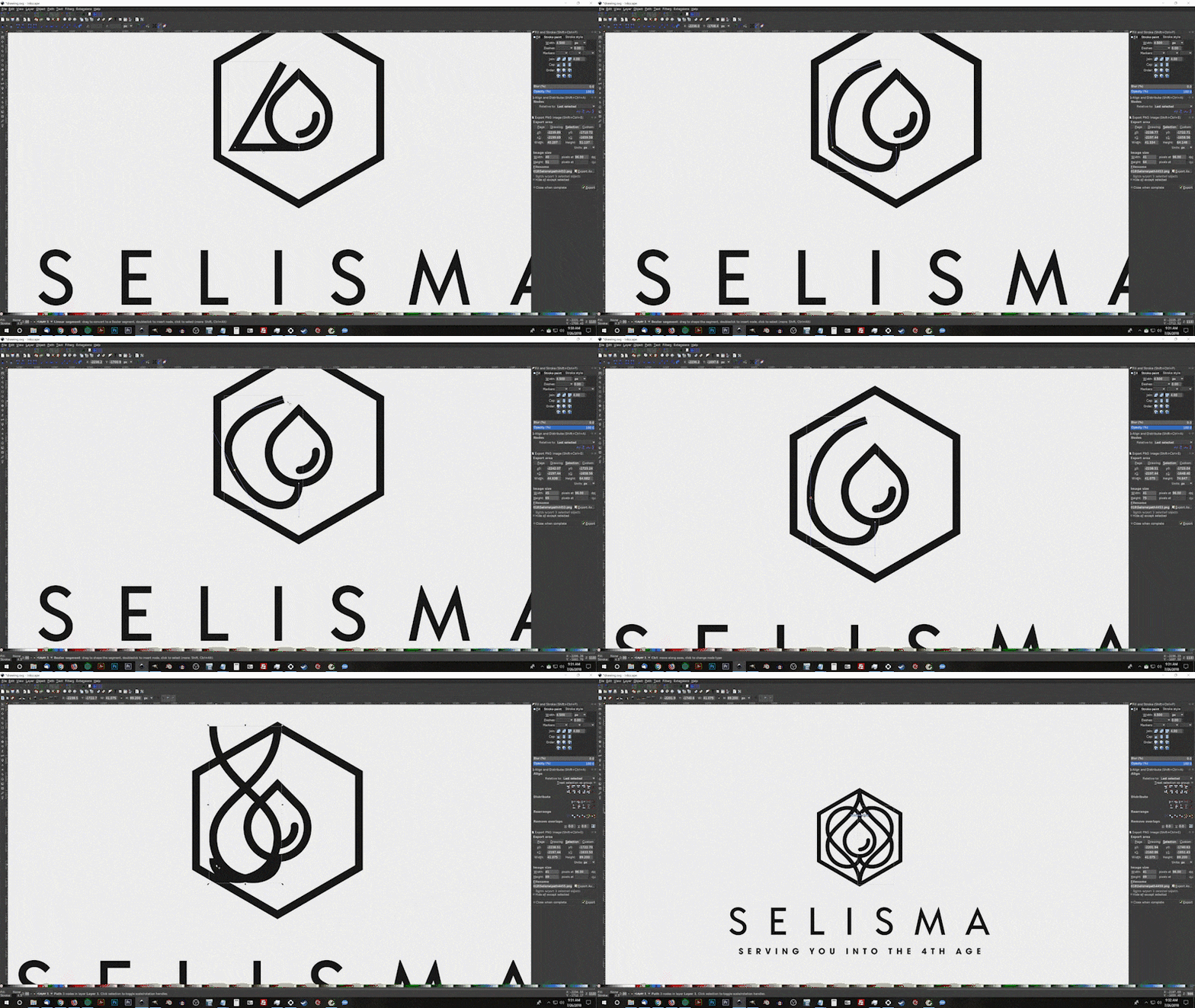
Less demanding system requirements make for a lower barrier of entry to the graphic design world. Casual users might be frustrated by Adobe’s resource-hungry applications because they don’t quite have the hardware for running them optimally.
Inkscape would be a more appealing option to these users because it’s a relatively lightweight program that you can run on standard low-end machines (by today’s standards) without much of a problem. You can read more about hardware requirements for graphic design here.
While it’s true that if you want to be a graphic designer, you have to have the proper tools for getting the job done (which includes computer hardware,) my point is that some people might not know that they want to be graphic designers yet, or might just be casual users. They might just want to try it out and see if they like it, or maybe use it casually to create flyers for their kids’ baseball team or something. Investing in expensive hardware isn’t practical for these people, making Inkscape a better option.
2. Working with Gradients
Let’s get into some of the workflow details.
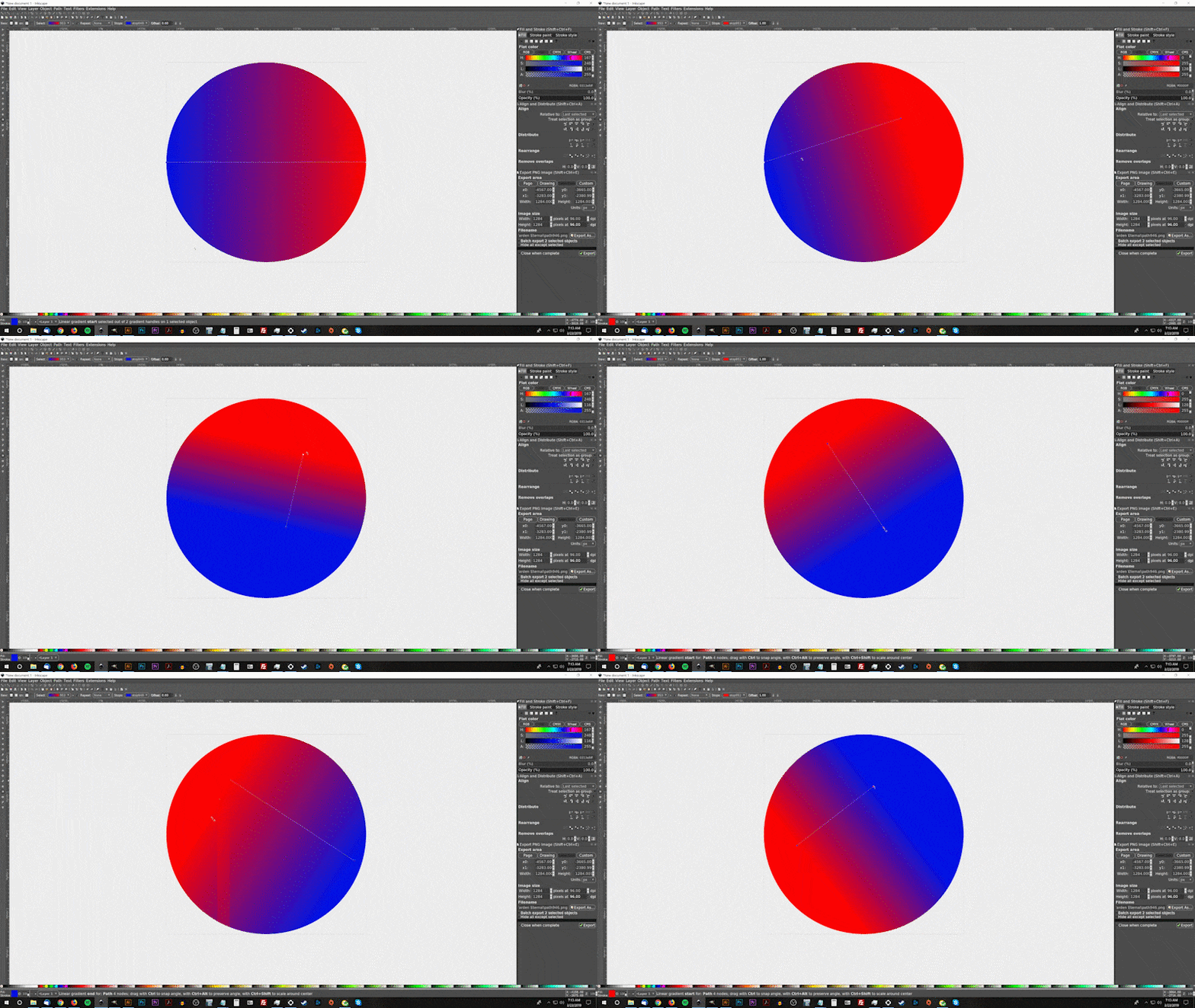
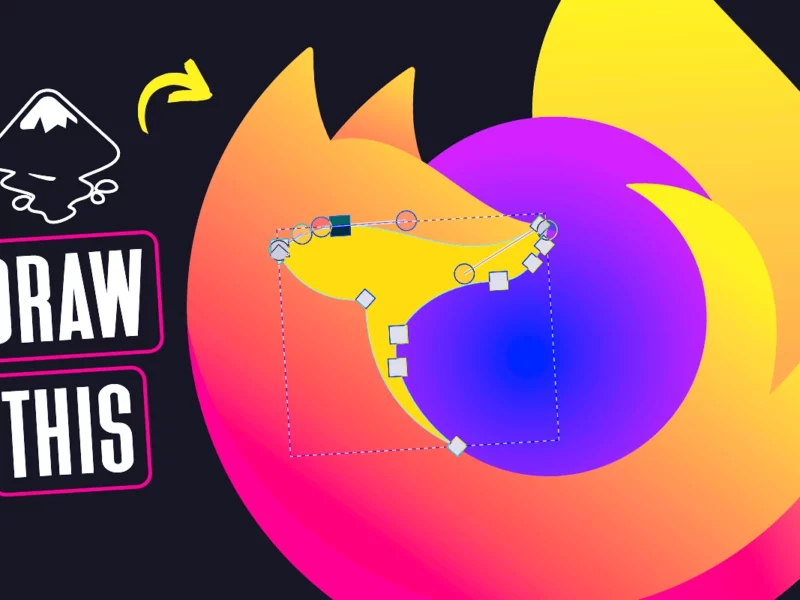
One thing I really like about Inkscape is how intuitive its system for editing gradients is.
In Inkscape, you’re given nodes for each stop in the gradient. You can move them around on the canvas however you’d like, and the stops in the gradient will follow along. It couldn’t possibly be simpler.
In Illustrator you’re also given nodes, but they function in a different and more complex way. One node changes the position of the of gradient on the canvas, and the other determines the radius and angle of the gradient.
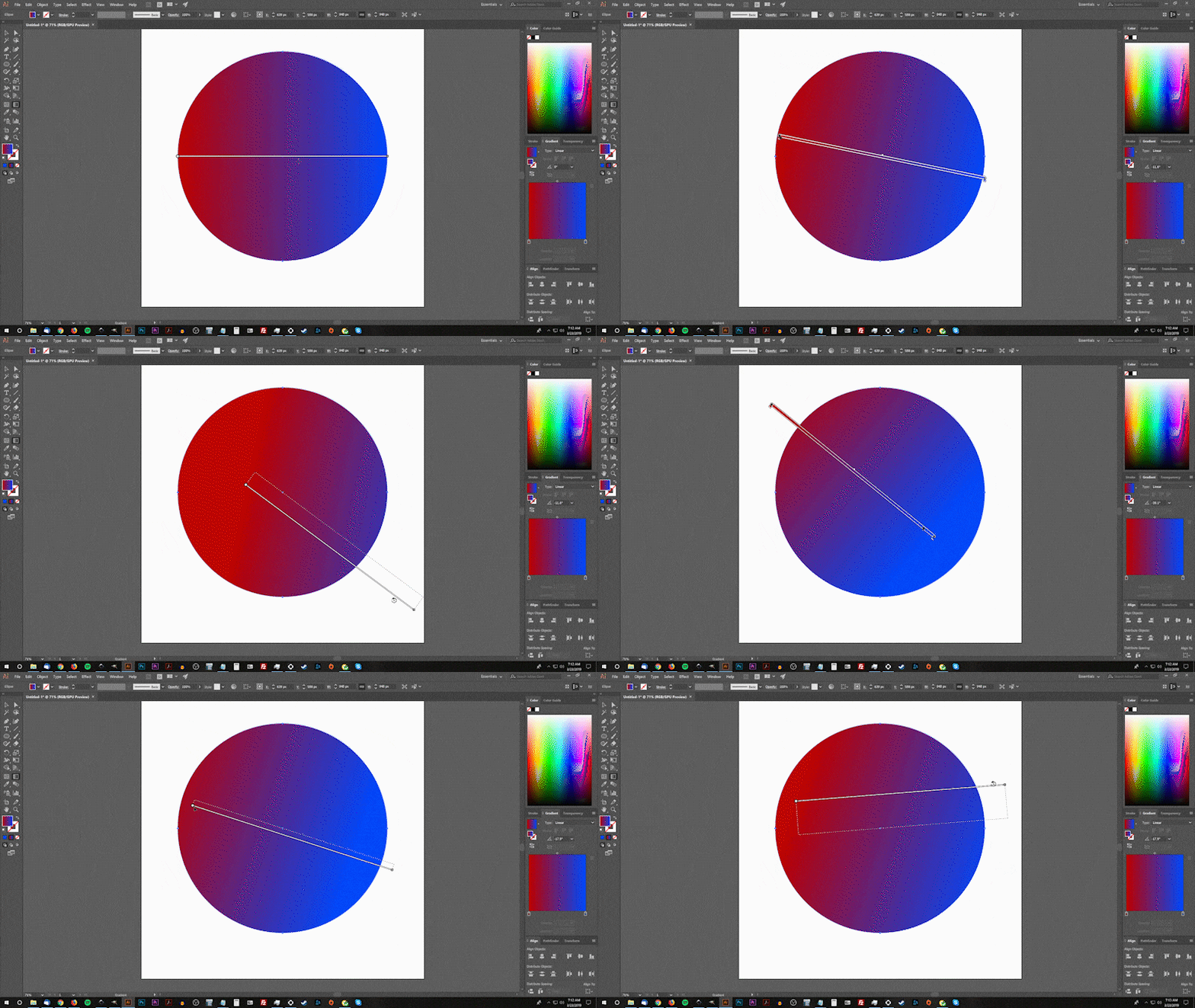
Inkscape’s method is better because both nodes are capable of both functions in the most simplistic, intuitive way possible, and it makes for more precise maneuvering.
3. Canvas Navigation
Another thing I like better about Inkscape, from a workflow perspective, is how it’s marginally easier to navigate around the canvas.
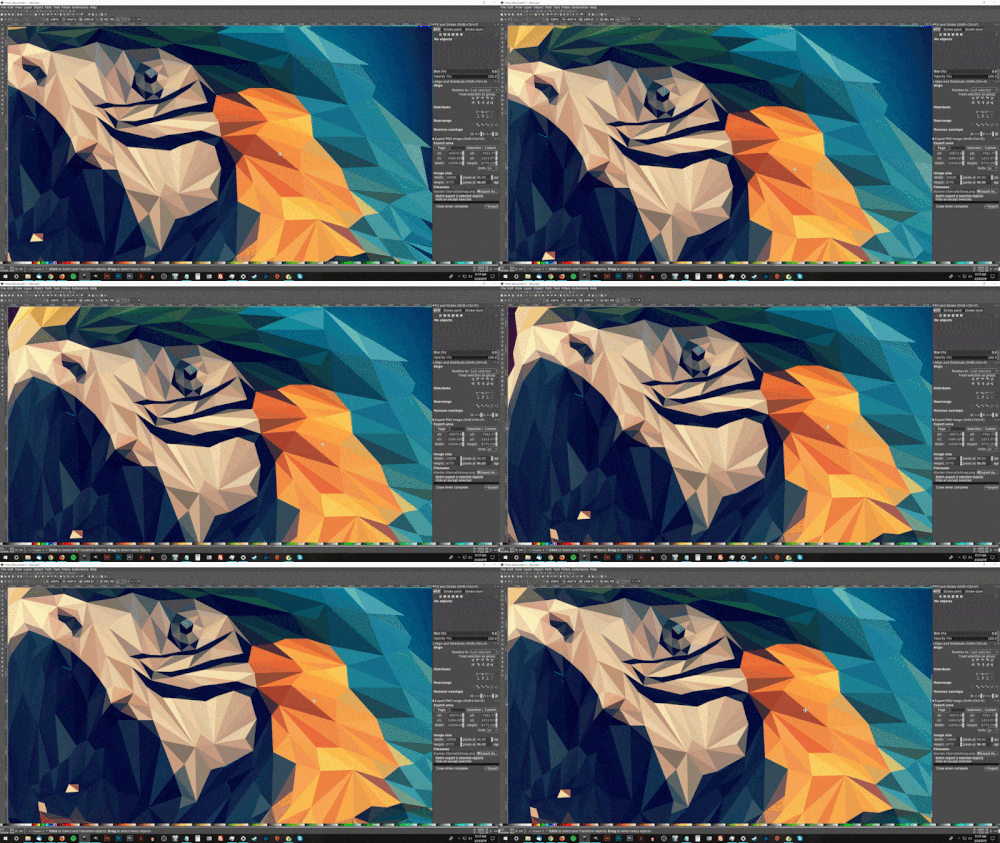
In Inkscape all you have to do is press down on the mouse wheel and move the mouse, and the canvas will pan according to the movement of the mouse. Illustrator uses a similar system, but you have to press the space bar AND left click the mouse in order to navigate the canvas.
Inkscape’s method requires just one click and one hand. Illustrator’s method requires two clicks and both hands. This may sound frivolous, but it makes a big enough difference when you’re spending 8+ hours per day using the software.
With Inkscape, I can just lean back in my chair and navigate around the canvas using one hand. I can’t do that with Illustrator unless I manually change the key bindings.
4. Aligning Objects
One area where Inkscape outshines Illustrator is in handling the alignment and distribution of objects.
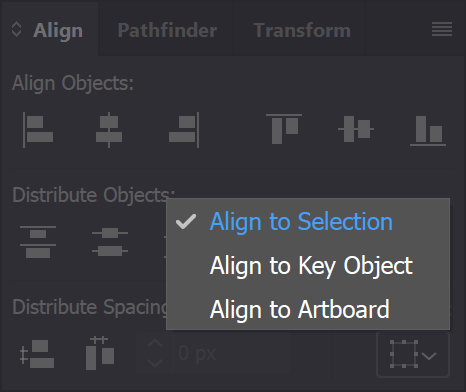
In Illustrator, you can align objects relative to three different points: the selection, the key object, or the artboard.
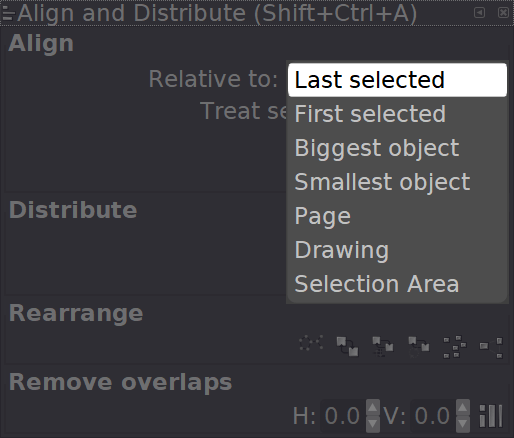
Inkscape allows you to choose the same anchor points and then some…
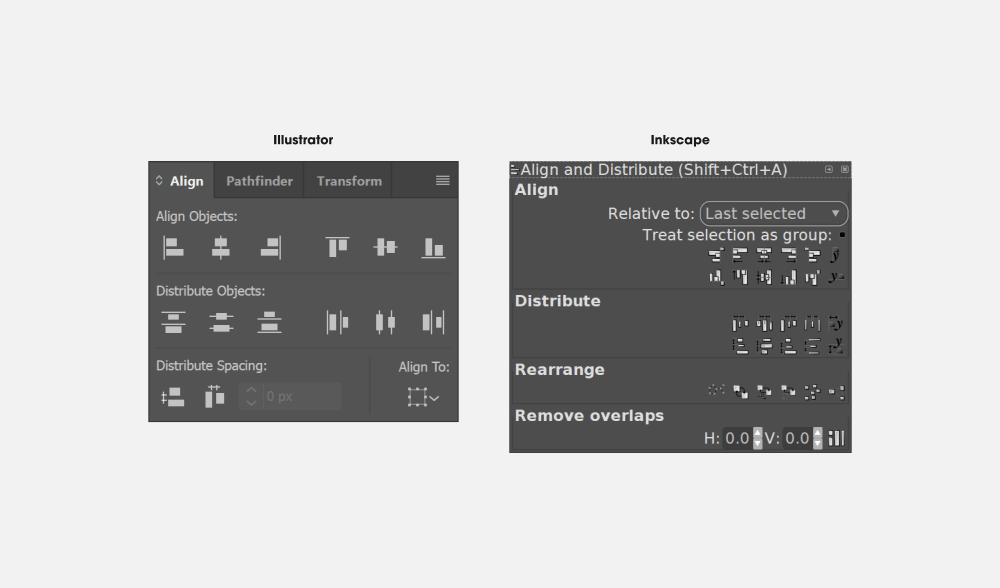
Inkscape also offers more alignment options and distribution methods.
5. Linux Support

While it’s true that Linux users only represent a very small, niche user base, if you are a Linux user and want to get into graphic design, Adobe software is simply not an option for you.
Luckily there’s software designers in this world who do care about Linux users, otherwise we wouldn’t have great alternative like GIMP and Inkscape.
6. Price

Finally, the most obvious reason why Inkscape may be a better choice for you — price.
Illustrator is quite expensive. The monthly/yearly payment for it may not seem like much, but when you consider that it’s an ongoing rental that you need to pay for indefinitely, it adds up pretty quick. In fact, I’m probably going to cancel my own subscription this summer when my plan is up.
For those of you who don’t find the software-as-a-service payment model practical, great news: Inkscape is free.
Thoughts?
If you have any feedback or input of your own, leave a comment below. I’ll probably do another post outlining some of the things I like better about Illustrator in the future. Like I said, a case can be made either way.
Learn To Master The SoftwareGain a complete understanding of your favorite design apps with my comprehensive collection of video courses. Each course grants access to our private community where you can ask questions and get help when needed.
|
||||||||||||||||||||||||||||||||
 81 Videos
 11 Modules

You might also like


33 comments
-
-
Nick Saporito
Blogging and YouTube are both great ways to utilize your design skills! It takes a while to build them up, but once you do the rewards are immeasurable. I wish you luck.
-
-
Michael P Deslippe
Interesting thoughts, but largely invalid. You are making a case that a simpler, less powerful and feature limited product is “better” than one which has all those things. You could make the same case for Notepad versus Microsoft Word, but it’s still not an apples-to-apples comparison. That doesn’t mean I disagree with some of your rationale, it’s just not valid in one product versus another. For instance when I first started to draw with a vector-based program, choices were limited and the learning curve was steep. I played with these things for a couple of years before I got serious about learning the programs. However, I had to pay for them to truly work with them. Inkscape is a free program that would have saved me money for a long time while I “played”. So I’m clear, I’m definitely biased as I am a Beta tester for Illustrator, have input to its design and feature set (not much, but a vote anyhow) and I’ve been using it almost since 1.0. Illustrator is heads and hands more complex than Inkscape and has capabilities that far surpass Inkscape. It’s only if you limit your evaluation to a feature by feature comparison that you can bring the two together (I like the way xxx pans better than xxxx) Certainly in capability, there’s no comparison, Illustrator wins. Likewise in price, Inkscape wins. How about Affinity Designer, Corel Draw, etc. I am new to Inkscape, I admit, but just browsing through it, it’s less capable. However, If we just look at it for it’s merits, Inkscape has many laudable features for a new user working on graphic design and with the many fine training packages out there, they can become quite accomplished for a very reasonable price (you do a great job on tutorials and courses for Inkscape) people can become able to do 80-90% of the work most amatuers require. I’m continuing to learn Inkscape and may lean more to its side as I increase my proficiency, but unless there’s a lot of magic behind door #3 it’s not ever going to rise to a professional level (which is not to say professionals won’t use it, it’s just always going to be “limited”).
-
Prince Kpasra
Interesting to read Michael.
You are indeed new to Inkscape.
But Nick is not really saying Inkscape is better.
He is saying why “he” prefers Inkscape. ” Why ‘I’ like Inkscape better…”
With Inkscape and GIMP, there is nothing I have not been able to do… often my problem is the skill, not the tools/functions.
In Ghana, the industry requirement for a designer job is often Corel Draw or Photoshop so that is big leverage for learners
-
-


Comments are closed.
Emmanuel
I love designing with inkscape. It is my hobby though I am a still a beginner. I am trying to put my passion to blogging and youtube. I just got started. If there is any way you can encourage and help me I will appreciate. Thanks.