

New Inkscape Icons | 2019 Theme and Installation Tutorial
New Inkscape Icons | 2019 Theme and Installation Tutorial https://logosbynick.com/wp-content/uploads/2019/01/install-icons-inkscape-1024x602.png 1024 602 Nick Saporito https://secure.gravatar.com/avatar/8e31bf392f0ba8850f29a1a2e833cdd020909bfd44613c7e222072c40e031c34?s=96&d=mm&r=gA few years ago I redesigned the tool icons for Inkscape and posted them here on the blog for download. Inkscape has released quite a few updates since then and my understanding of UI design has evolved a bit as well, so I figured it was time for a refresh.
In this post I’ll be sharing a newly redesigned set of Inkscape icons that you can download and install yourself. For step-by-step instructions, watch the video at the top of the page.
New Icon Theme
The idea was to give Inkscape a fresh, modern look from its dated clip art-style icons. Here’s a comparison snapshot…

And here’s a complete look at the entire tool set…

Click to enlarge
And here’s the variation for the dark theme…
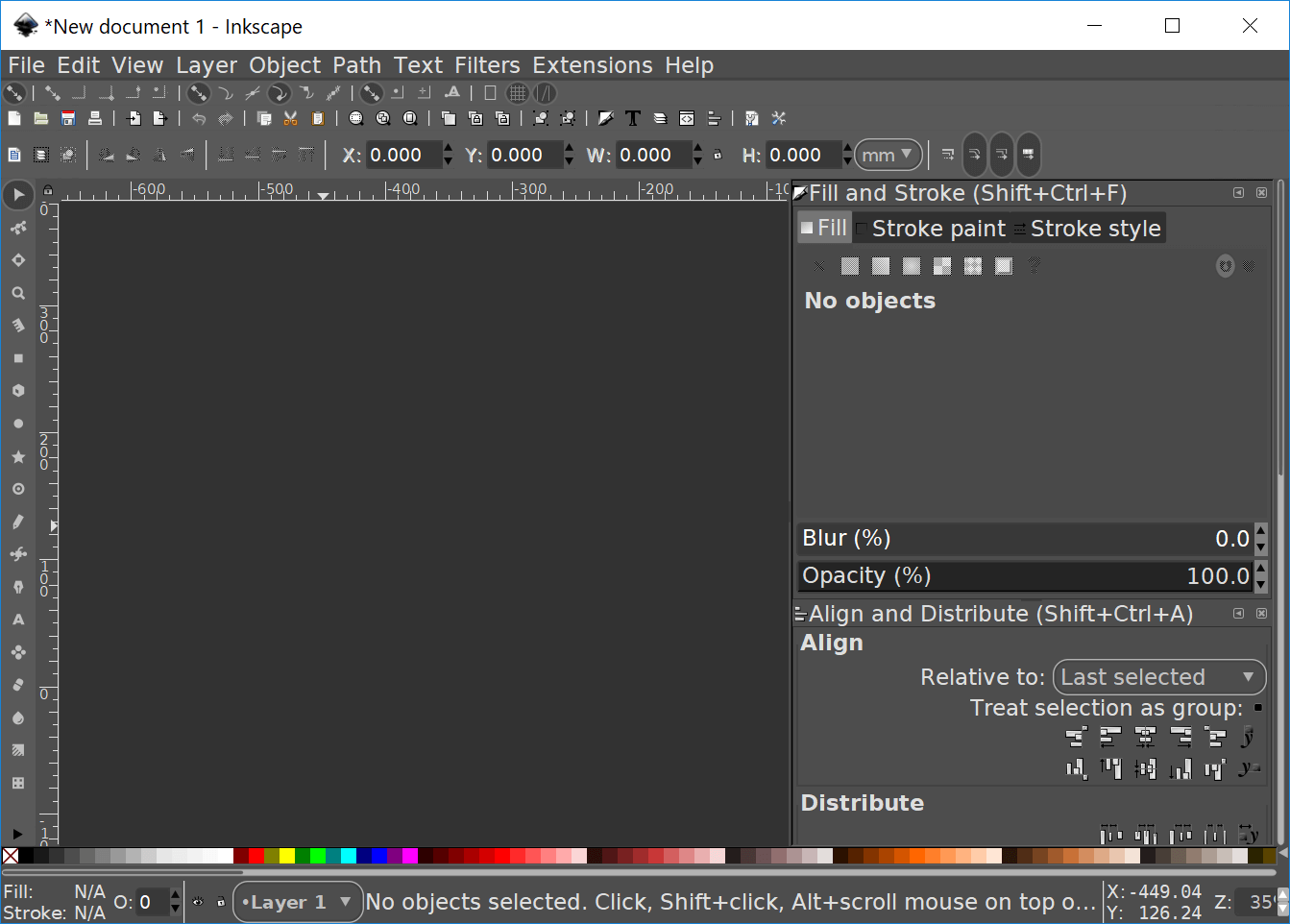
Click to enlarge
As of right now I’ve only redesigned the tool icons, and only for the standard light theme. I simply made the rest of the icons black & white to match the theme.
Download Link
The icon pack can be downloaded here: inkscape-icons-2019.zip
It should be noted that the file titled icons-2019.svg is the updated icon theme. The file titled icons-original.svg is a backup copy of the original icons that come with Inkscape in case something goes wrong and you need them.
UPDATE 2/10/2019: I’ve added a copy for the dark theme as well. You can learn how to install the dark theme for Inkscape here.
How To Install Icons in Inkscape
Before you install these icons please make sure you are using the correct version of Inkscape. These icons are for Inkscape version 0.92.4 and will only work with this version. If you’re unsure which version of Inkscape you’re using just go to Help > About and a window will pop up with all of the relevant info. You can download the latest version of Inkscape here, which is 0.92.4 as of the time of this writing.
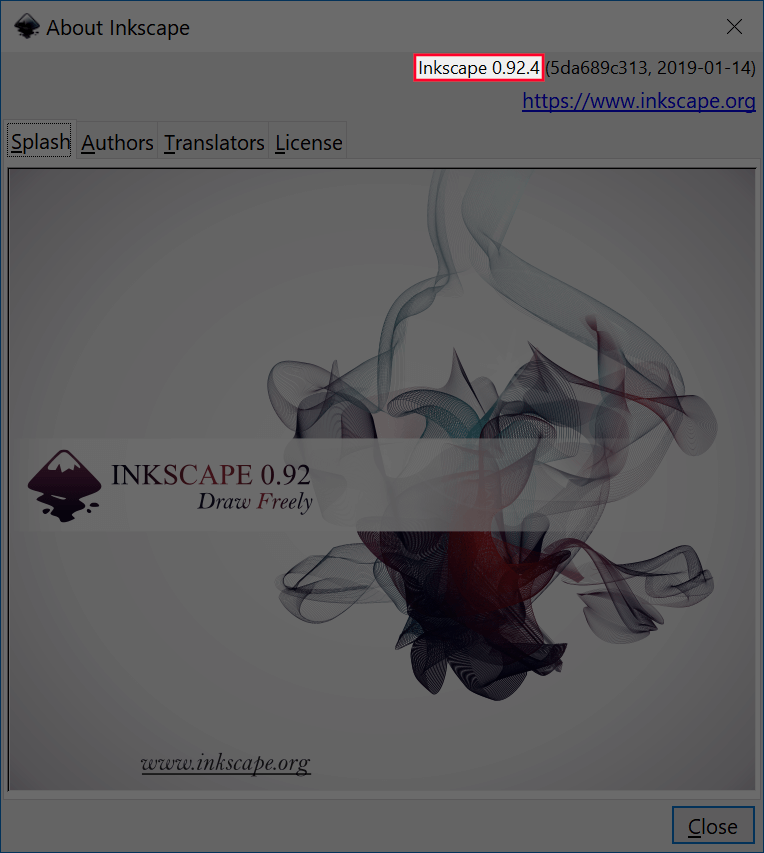
Go to Help > About
I’d also like to point out that these installation instructions are for Windows 10 users. I can’t vouch for this working on any other operating system. If you can make it work then feel free to leave a comment informing us.
To install the new icons, simply open up a folder and go to Local Disk (C:) > Program Files (not Program Files x86) > Inkscape > Share > Icons, and look for the file titled “icons.svg”.
The file with that title is the file Inkscape pulls data from to display the icons, so in order to use the new icons you simply have to change the name of that file to anything other than icons.svg, then drag and drop the new icon pack in there and change the name of it to “icons.svg”.
Once you do that, Inkscape will draw data from that file to display the icons next time you restart Inkscape. If you already have Inkscape open, just close out of it and reopen it and your new UI should appear.
2016 Icon Pack
If you’d like a copy of my old icons from 2016, they can be downloaded here…
- For version 0.91 and below: version-91.zip
- For version 0.92: version-92.zip
This pack comes in both dark and light themes…

Standard light theme (click to enlarge)

Icons for the dark theme (click to enlarge)
If you have any questions or would simply like to share installation tips for other OS users, please leave a comment below. It would be greatly appreciated!
Learn To Master The SoftwareGain a complete understanding of your favorite design apps with my comprehensive collection of video courses. Each course grants access to our private community where you can ask questions and get help when needed.
|
||||||||||||||||||||||||||||||||

 81 Videos
 11 Modules



You might also like

41 comments
-
-
Nick
Hi, I have been using the dark theme with these icons. Something I’m having a problem with though is when I push a tool it doesn’t show it is selected, but rather it always has the same dark theme color around all of the icons. So it works, but I have to test/guess what tools are selected in order to know what I am using. Do you know what the problem could be?
-
-
-
Abner
My icons appear dark. Aren’t they supposed to be white?. I have Windows 10 and the correct Inkscape. Also on my computer it only said icons not icons.svg. Any help would be appreciated?.
-
theguy2012
hello im using your dark theme mixed with the original inkscape icons tho i
cant see some things like check boxes, arrows and scrollbars and the
pop up bubbles are missing corners how can i fix that keeping the
original look of the icons-
Nick Saporito
I would recommend using the new icons. The original icons aren’t very compatible with the dark theme.
-


Comments are closed.
adi
hi nick, in your Inkscape Tutorial: 3D Vector Sphere Icon/Logo here, https://www.youtube.com/watch?v=uxcbUX4J6rk
what is the icon pack ?