

GIMP 2.10 Layer Effects Plugin | Free Download
GIMP 2.10 Layer Effects Plugin | Free Download https://logosbynick.com/wp-content/uploads/2019/03/gimp-layer-effects-plugin-1024x602.jpg 1024 602 Nick Saporito https://secure.gravatar.com/avatar/8e31bf392f0ba8850f29a1a2e833cdd020909bfd44613c7e222072c40e031c34?s=96&d=mm&r=gIn this post I’ll be demonstrating how to download and install the GIMP 2.10 Layer Effects plugin — a third party tool that adds neat features to GIMP, like Bevel and Emboss.
Layer Effects Plugin
The Layer Effects plugin adds a new sub menu to the bottom of the Layers menu in GIMP.
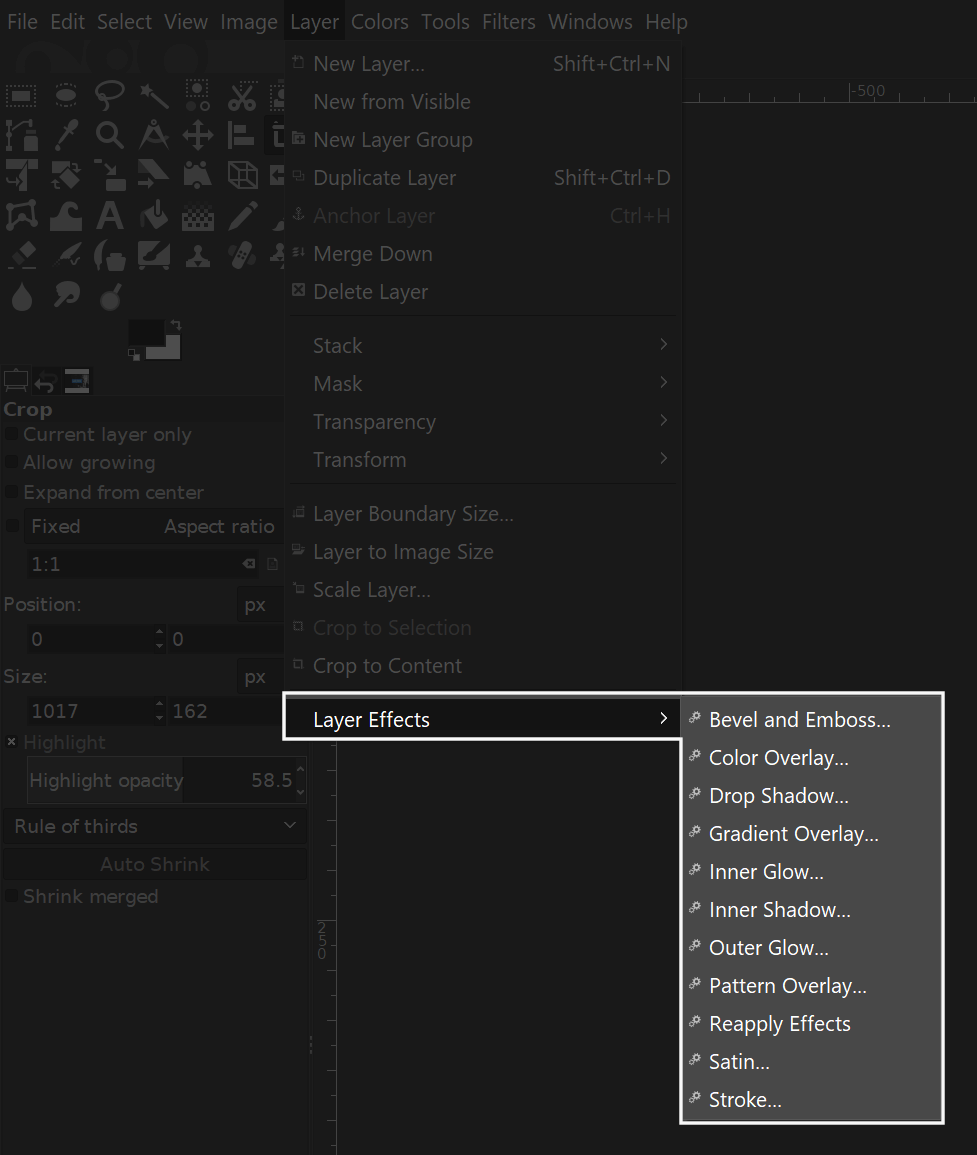
It adds an assortment of features — many of which now come standard in newer versions of GIMP — but the one feature that I really like is the Bevel and Emboss tool. Here’s a tutorial that makes good use of it…
At some point in the past you may have come across a similar GIMP tutorial that utilizes Layer Effects, but when you followed the download link, you were probably greeted with an error page…
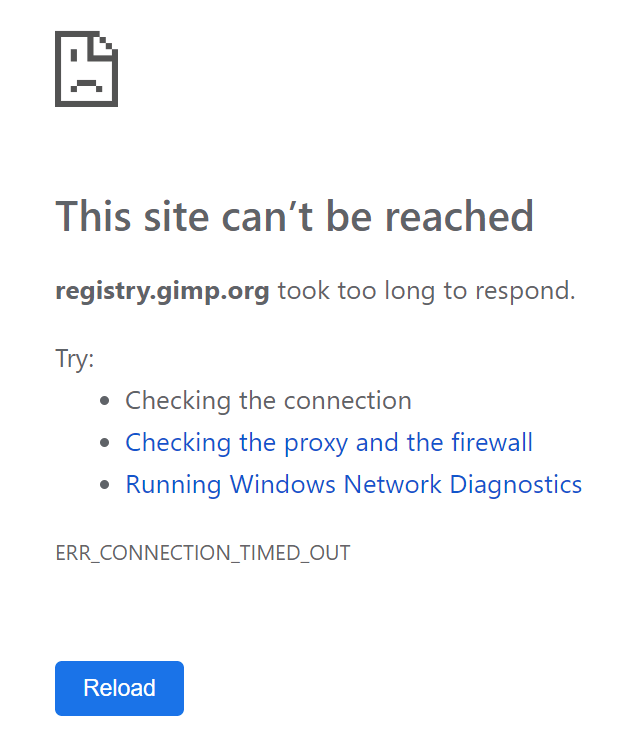
I ran into this problem the other day and it was quite frustrating, so I figured I’d make a post sharing my findings after doing a bit of digging around.
As it turns out, I was able to find a Reddit post where someone shared a download link that someone had uploaded to DropBox.
The plugin can be downloaded here: Layer Effects
All credit goes to Jonathan Stipe, the creator of the plugin.
How To Install Layer Effects in GIMP 2.10
For Windows users, to install the Layer Effects plugin in GIMP 2.10, simply grab the layerfx.py file from the .zip folder and place it in the following directory…
Local Disc (C:) > Program Files > GIMP 2 > lib > gimp > 2.0 > plug-ins

Now go ahead and restart GIMP. The Layer Effects sub menu should appear at the bottom of the Layers menu in the toolbar.
For users of other operating systems: unfortunately I can’t say for sure whether or not this will work. I do know that the file needs to be placed in the plug-ins folder, but I can’t say for sure if the pathway is the same.
If you have any questions or run into any problems, please leave a comment below and I’ll see if I can help.
Learn To Master The SoftwareGain a complete understanding of your favorite design apps with my comprehensive collection of video courses. Each course grants access to our private community where you can ask questions and get help when needed.
|
||||||||||||||||||||||||||||||||

 81 Videos
 11 Modules



You might also like

58 comments
-
-
Eddy
As of October 2021, gimp updated to 2.10.28 and is not working on linux. i have put lightfx.py on both directories and it doesnt seem to install
-
Bill
I just got finished downloading GIMP 2.10.28 – it doesn’t install in Programs or Programs (x86). It installs in Users/AppData/Local/Programs/GIMP 2, and looking through the folders I finally found some with the py suffix, but after the above path, these are added (and there are py files in another place as well – I’m still looking through all the folders) – anyhow, after GIMP 2 above, these follow – GIMP 2\lib\python2.7\bsddb – and that’s only one place where there are py files.
I’m running the Windows Home 10, latest updates.
Any ideas? I sure would appreciate the help (especially since my Photoshop seems to have taken a dump, so I’ll have to try to reinstall that, too, if my no-DVD player, won’t recognize external DVD players PC recognizes the installation disk).
Thanks for your time and efforts.
-
Nick Saporito
I’m not entirely sure. It sounds like they changed the structure of the files for this latest release.
-
-
-
SL
I was not able to install the Layerfx.py plugin on my Manjaro system, but I was able to install the Layerfx.scm.
I dropped the layerfx.scm in my /home/.config/Gimp/2.10/scripts directory. Restarted gimp and there it was, under Scipt-fu.
The only difference between the .py and .scm version is the preview option. I have installed the .py version on my mac and that’s the only difference between the two versions.I’m running gimp 2.10.22 on Manjaro and I can confirm that the .scm works. Also, if you don’t have thte .config folder, you can simply create a folder with such name. Just make sure you have “show unhidden files” ticked on your home folder options.
-
-
-
Tabi
This doesn’t work. I have the Script-Fu in the menu bar, the layerfx.scm file is in the scripts file and the layer layerfx.py file is in the plug-ins folder. I’ve restarted GIMP, but when I follow your instructions to bevel and emboss, it flashes and goes through the motions like it’s going to do something and then turns the text into a layer, but leaves the text entirely normal like it didn’t do anything. I’ve repeated everything and can reproduce the problem each time.
I’m running GIMP 2.10.14.Does anyone know what I’m doing wrong?
-
-
Jessy
some of the scripts wont wont for me. which is disheartening. the bevel/emboss, and anything done to inner portion of text.
-
Carlos
Hello, this script works for GIMP 2.10.18
is this: layerfx.2.8.py.zip
https://www.gimp-forum.net/Thread-gimp-2-10-18-plugins -
-
-
Rome DC
Hi Nick!
I was able to install the link you provided however whenever I try to change the color of a certain layer it gives me this error:
Plug-in crashed: “layerfx.py”
(C:\Program Files\GIMP 2\lib\gimp\2.0\plug-ins\layerfx.py)The dying plug-in may have messed up GIMP’s internal state. You may want to save your images and restart GIMP to be on the safe side.
I dunno what to do anymore. Thanks
-
Antonio
Hi, Nick.
I’ve problems with 2.10 Layer Effects Plugin. I’ve two different computers, with W10 pro. This plugin worked properly with Gimp 2.10.12 in both machines. Since I upgraded to Gimp 2.10.14, this plugin doesn’t work properly. Stroke abd drop shadow works fine. Instead, bevel and emboss doesn’t work. The filter adds two empty layers, “GIMP-shadow” and “GIMP-highlight”, with no results. I kept the basic settings in the basic menu of bevel and emboss. I tried the file .py and that .scm. I’ve placed any filter in both c:\users… and c:\program files…
Nothing to do though.
Any suggestions?
Best regards.
Antonio from Italy-
Nick Saporito
Hi Antonio, I’ve been getting reports of the plugin not working with the latest version of GIMP. Sounds like there’s a compatibility issue.
-
Jan
The issue is GIMP not having this god damn crucial feature builtin. I can’t even use gimp to edit a simple whatever file i get sent by somebody using proper software withGIMP. Affinity for 50bucks is miles ahead GIMP in 2020…so disappointing and no improvement in sight. I mean, i took em how many years to steal adobes dark color theme?
-
-
AC
Hi there…. the issue is with the Bumpmap and Add Bevel functions in GIMP 2.10.14 itself – ie nothing to do with the plug-in. The manual filter is not working.
Current solution is to revert back to 2.10.12 – or wait for Devs to get to a workaround
-
-
Robin Soon
Thanks Nick for the plug-in link. It’s in my GIMP program. Just started to watch your GIMP tutorials. Good job.
Thanks again.
One question tho. When I start my GIMP theres a lot of error messages concerning plug-ins for resynthesizer, Gmic and other stuff. My Gimp has the resynth and GMIC plug -in but the error messages still appear. Do you have any ideas about that? My version is the latest 2.10.12
Hope you can help. Thanks in advance.
Robin
-
Nick Saporito
Hi Robin, I had the same problem when I upgraded GIMP (not to your version but a previous version when it was new at the time.) I just reinstalled GMIC and that did the trick.
-
-
-
-
-
George
For those who can’t install the layer effects plugin .
1) Go here and download the file https://web.archive.org/web/20171022174131/http://gimpscripts.com/download/utilities/layerfx.scm
2) Go to : C:\Program Files\GIMP 2\share\gimp\2.0\scripts\ and paste the file you downloaded . Restart GIMP .
Hope i helped .
-
-
Mary
I’ve been looking how to do this on Gimp and kept running into dead links, so thank you for this!!
-
-
Jumbojet
Hi, I have put the plugin as you said but it is ;not visseble in Gimp. What can I do? I restarted and even restarted my system but it doesn’t work.
-
Jeff Jolley
Nick, I’m having the same problem with Gimp on Linux. I’ve placed the python file in ~/.config/GIMP/2.10/plug-ins and nothing happens. Then I tried to start gimp with “gimp –verbose –console-messages” and there is nothing in the log regarding my home plugin directory or “layerfx”. Any ideas?
-
Jeff Jolley
I did some more research and found this info which should help on Linux (I don’t use Windows, so I’m not sure how this would apply):
1: Place the python script into the plug-ins folder in your home directory. I haven’t done any research on putting this in the global plug-ins folder.
2: Make sure the python script is executable: “chmod +x layerfx.py” (see: https://stackoverflow.com/questions/17334993/gimp-python-script-not-showing-in-menu)
3: Make sure that the gimp-python package is installed (ubuntu: “sudo apt-get install gimp-python”) (see: https://gitlab.gnome.org/GNOME/gimp/issues/3314)Nick: Thank you very much for your work!!
-
Kristine Jane
Thank you very much for this! it works, I am a linux user and this have been very helpful for me.
-
-
-
Quote Pilgrim
Instead of putting the plug-in inside the Program Files folder, I would highly recommend you rather use %APPDATA%\GIMP\2.10\plug-ins
It is rarely a good idea to put stuff inside a program’s main directory, and most programs will have a folder under %APPDATA% or %LOCALAPPDATA% (or the user’s home directory, for Linux and Mac users) specifically for that purpose. It is not without reason that Windows requires administrator privileges to modify data under the Program FIles folder.
Of course, installing a plug-in should be harmless, but messing with a program’s main directory is a bad habit to get into, so you should avoid it whenever possible.
-
-
Jeff Jolley
I’m back again. I was able to see the menu under Layers, and I can see the Layer Effects menu, but every item is grayed out/disabled. Does anyone know how to fix this?
-
Scott Hollingsworth
you need to have a layer selected for the effects menu to show up. A layer of an appropriate type as well.
-
-
-
-
-
Emma I. Effiong
I put the Python file in the specified folder but I did not see the layer effects sub menu at the bottom of the layers menu. Please what can I do?
-
-
Michael
Hi there. I’m trying to use Layer Effects with 2.1 on Win 10. Seems to load correctly but when I try to use the stroke function and select a color, the plugin errors out. any ideas?


Mark Kamekona
I extracted the file cut and pasted it .Into the plug-ins rebooted computer a started Gimp but I did not get the layer effects in the layer drop down menu . What should I do ?