

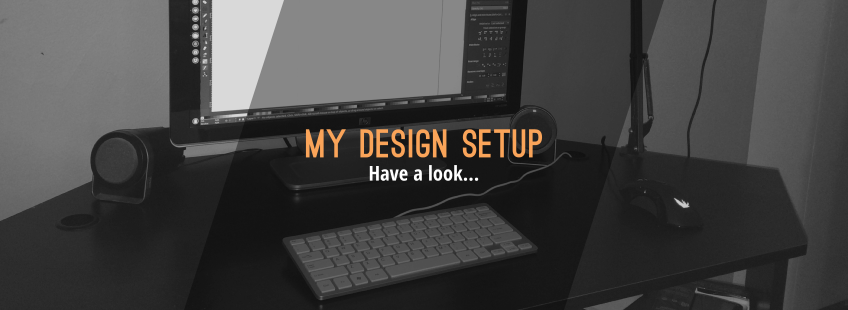
A Look At My Design Setup
A Look At My Design Setup https://logosbynick.com/wp-content/uploads/2015/10/dessetmain-848x310.png 848 310 Nick Saporito https://secure.gravatar.com/avatar/8e31bf392f0ba8850f29a1a2e833cdd020909bfd44613c7e222072c40e031c34?s=96&d=mm&r=gUPDATE MARCH 20TH, 2017: I recently built a new rig. Here’s a look at my latest setup: https://logosbynick.com/look-new-design-setup/
So here’s a look at my design setup. It’s rather simple, minimalist and clutter-free, which is just how I like it.
It’s a custom-built desktop, sporting an i5 with 16GB of memory and running Ubuntu with the Vertex Dark theme and the Ardis icon set. I absolutely love how customizable Linux is. The dark theme looks sharp and is very easy on the eyes, and the Ardis icons are sleek and modern.
Here’s a closer look at the theme…

Keyboard
For the keyboard, I’m using the GMYLE Ultra Thin Wired USB Mini Keyboard. I chose it primarily because it’s small and compact, which gives me quicker access to all of the keys. As a graphic designer, I use hotkeys and keyboard shortcuts regularly, so this is a great benefit for me and makes my job more time efficient. I also like the sleek, minimalist design. It looks sharp and it’s very easy to clean between the keys and whatnot. Not bad for only $10.
Here’s a closer look at the keyboard…

Mouse
For the mouse, I’m using the Etekcity Scroll X1 (M555). This device packs a lot of quality for only $15. The first thing I noticed when opening the package is how heavy it is. This thing was built to last. The top of the device is covered with a soft rubber-like finish, although it looks like plastic in the images. The chord, which connects via gold-plated USB, is not your typical wire. It’s a copper wire with braided fabric covering it, which offers stretch resistance and durability.
There’s DPI adjustment buttons, and there’s also two additional buttons on the left side that allow you to navigate forward and back, relative to a browser, folders, or anything else you may be browsing, which is a luxury I’ve gotten used to. I don’t think I could go back to a standard mouse now.
Finally, the mouse fits my hand comfortably and looks incredible. To say the design is aesthetically-pleasing would be an understatement. It looks awesome. This is probably the best mouse you’ll find at this price point.
Here’s a closer look…


Microphone
You don’t necessarily need a microphone for graphic design work. I use this for my Inkscape tutorials that I post on Youtube. The microphone I chose is the CAD U37 USB Studio Condenser. For only $47, this is as good a microphone as you can find in this price range. The audio is surprisingly crisp and clear, and you’ll get even better results if you do a basic cleanup of the file in Audacity.
Here’s an audio test of the CAD U37…
To complement the microphone, I’m using the Dragonpad pop filter, which does an excellent job of eliminating those ghastly “p” sounds. $7 well spent. In addition, I’m also using a NEEWER microphone suspension boom scissor arm stand that attaches to my desk. I can’t recommend that stand though, because as you can see in my picture, the CAD U37 doesn’t exactly fit, so I had to go rogue and figure out a makeshift solution…

Software
Although I have a Windows 7 partition on this machine, solely for the sake of using Adobe’s Creative Cloud, I much prefer Linux and open source software.
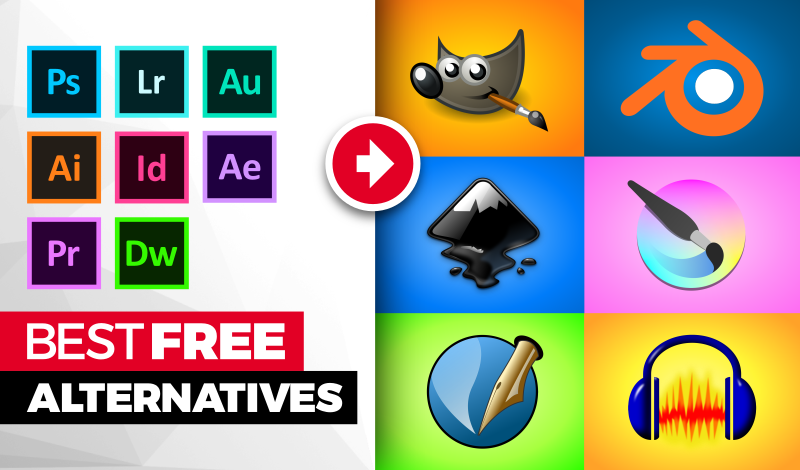
For 99% of my design work, I use Inkscape and GIMP. For tutorial screencasts I post to Youtube, I like to use Kazaam Screencaster, then edit the file with Blender. I also use Audacity to sharpen the audio.
There’s the basics of my work station. Let me know if you have any questions, and thanks for checking it out!
Learn To Master The SoftwareGain a complete understanding of your favorite design apps with my comprehensive collection of video courses. Each course grants access to our private community where you can ask questions and get help when needed.
|
||||||||||||||||||||||||||||||||

 81 Videos
 11 Modules


You might also like

19 comments
-
-
Nick Saporito
Thanks, Phillip. I don’t know of any off the top of my head. I’m not too familiar with that mic and which accessories are available for it. My guess would be to search around on Amazon and read some reviews. That’s how I find my products. Nice site you got there, by the way. You do nice work.
-
Phillip
Thanks Nick, I’ve been following your work for a little while actually. Your freelancer guide was spot on, after I applied some of your tips, I saw instant changes, I can give you some hard facts for testimonial support for your book if you wish. Also I sent one of my clients your way for a logo. A lil while back. P.s. I found a stand very cheep too I will be ordering it in the near future.
-
Nick Saporito
That’s really awesome to hear. I’ve had people tell me they liked the book, but to hear that someone implemented my advice and it paid off gives me great satisfaction. Thanks for sending some work my way, much appreciated, and glad you found a stand for your mic. Cheers!
-
-
-
-
-
Nick Saporito
Which operating system are you using? It’s very easy in Linux, also in Windows. Mac, however, I have no idea. I’ll be making a video about this very soon.
-
-
Nick Saporito
Here’s a tutorial for implementing the dark theme for Inkscape on Windows: https://www.youtube.com/watch?v=Ph4Hxo2NUU4
I tried this myself on Windows 7 and it worked. Hopefully that helps!
-
Heisvurlvine
I changed the theme from the white one, simply awesome ! Thanks for being a source of knowledge Nick !! Keep going
-
-
-
-
-
-
Riky Fahri Hasibuan
How you record keyboard and your mouse to show what you’ve been clicking or typing ?
-
-


Comments are closed.
Phillip
Awesome setup nick! I am looking for low cost Mic stand for my blue yeti, all the stands I am looking at are like 80+ If you have an suggestions I’d appreciate that.