

9 Free Wood Textures for Vector Design
9 Free Wood Textures for Vector Design https://logosbynick.com/wp-content/uploads/2018/07/free-wood-textures-1024x602.jpg 1024 602 Nick Saporito https://secure.gravatar.com/avatar/8e31bf392f0ba8850f29a1a2e833cdd020909bfd44613c7e222072c40e031c34?s=96&d=mm&r=gIf you’re looking to add character to your vector design work, texture masking is a great way to do so. In a previous post I shared a pack of free grunge textures and it was very well received, so today I’m going to be providing a bundle of 9 free wood textures for vector design work. You’ll be able to use these in both Illustrator and Inkscape.
Free Wood Textures
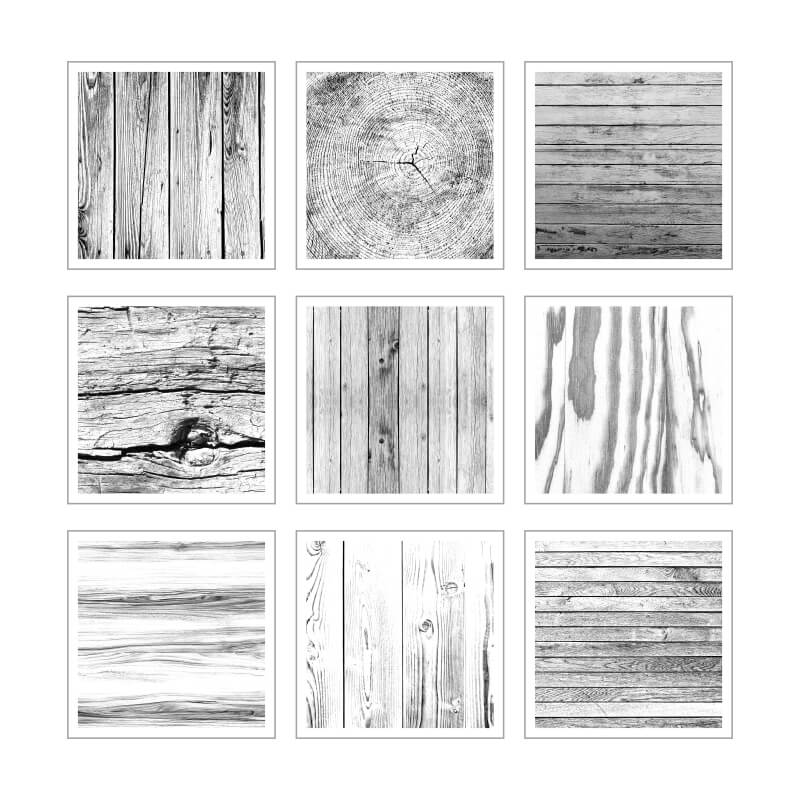
At the bottom of this post you’ll see a download link for a zip folder containing all 9 high resolution wood textures. I created all of these using creative commons images I found on the internet. Here’s an overview of the included designs…
If you weren’t already aware, he’s an example of the kind of effect you can achieve when masking your vector design work…
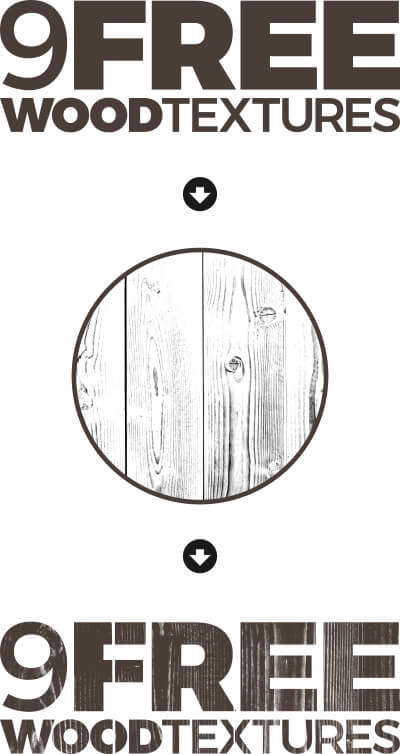
As you can see in the above image, applying the texture subtracts the dark area of the texture from your vector object, making those areas transparent. The white area of the texture will have no effect on the vector object (which is why these are all stripped down to black and white.)
Gray areas will create partial transparency, which will vary depending on how close to black or white the shade is.
Texture Masking with Inkscape
Applying the free wood textures with Inkscape is quite easy. Simply place the texture over your object (not under it,) then select both the texture and the object and go to Object > Mask > Set.
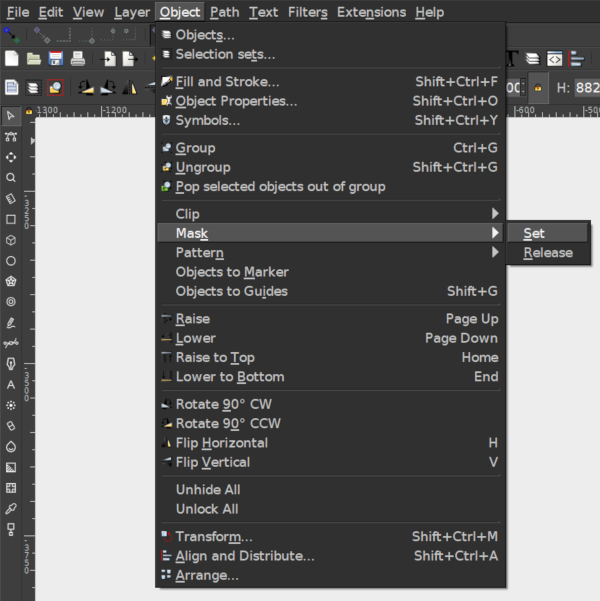
Make sure you have both objects selected before applying this
If later on you don’t like how it looks, you can undo it by going to Object > Mask > Release.
Texture Masking with Adobe Illustrator
Applying the free wood textures to your vector objects in Illustrator is slightly more complicated. Here’s a video explaining how it can be done. Start at the 10:49 minute mark.
Wood Textures Free Download
The wood texture bundle can be downloaded at this link: free-wood-texture.zip
If you have any questions, comments or concerns, leave them in the comments below. Enjoy!
Learn To Master The SoftwareGain a complete understanding of your favorite design apps with my comprehensive collection of video courses. Each course grants access to our private community where you can ask questions and get help when needed.
|
||||||||||||||||||||||||||||||||

 81 Videos
 11 Modules


You might also like
10 comments
-
-
Nick Saporito
It’s gone. It accidentally got deleted a year or two ago when migrating my site. Sorry. Any wood texture image should work though.
-
-
eezee pees
The textures disappear when executing the function Object->Mask->Set. They are .jpg, they are not transparent raster files. You talk about transparency, yet the texture image has no characteristic of transparency. A dead giveawy that a teacher cannot teach is when they say “quite easy”. Easy is four letter word. For you, learning a great concerto would be impossible, for me, easy. But I would never say that filthy word when working with any student, at any level.
-
-
Nick Saporito
Thanks Tyron, they’re free to use however you’d like. I didn’t assign any kind of license to them. Just use them however you’d like.
-
-
Suvajit
Hey Nick…
I love your work and follow them as well while using Inkscape.Thanks for such beautiful contents.Your downloadable contents are also of very help.Thanks again.
One more thing I would like to add that your blog is as illustrative as videos and like the way the hyperlink works. -
-
DistaBamba
Thanks for nice textures
I use Open source, Linux, Gimp, Inkscape and more, more, more
From St.Petersburg -
-


Waseem
Where I can find the wood9.png, that you used in your video tutorial for carved text ?