

15 Free Grunge Textures
15 Free Grunge Textures https://logosbynick.com/wp-content/uploads/2018/01/free-grunge-textures-1024x602.png 1024 602 Nick Saporito https://secure.gravatar.com/avatar/8e31bf392f0ba8850f29a1a2e833cdd020909bfd44613c7e222072c40e031c34?s=96&d=mm&r=gTexture masking is a great way to add character and distinctiveness to your design work, but if you’re anything like me, you probably just manually create textures for each individual project instead of putting together an inventory to draw from when needed. This is an incredible time drain, and I decided it’s about time I put a stop to it.
Grunge Textures
For this post I’ve included a zip folder with 15 different grunge style textures that I created using creative commons images found on the internet, free of charge. Simply download and enjoy. These textures are a great way to add a gritty, industrial, or even vintage appeal to your design work. The designs I’ve compiled are as follows…
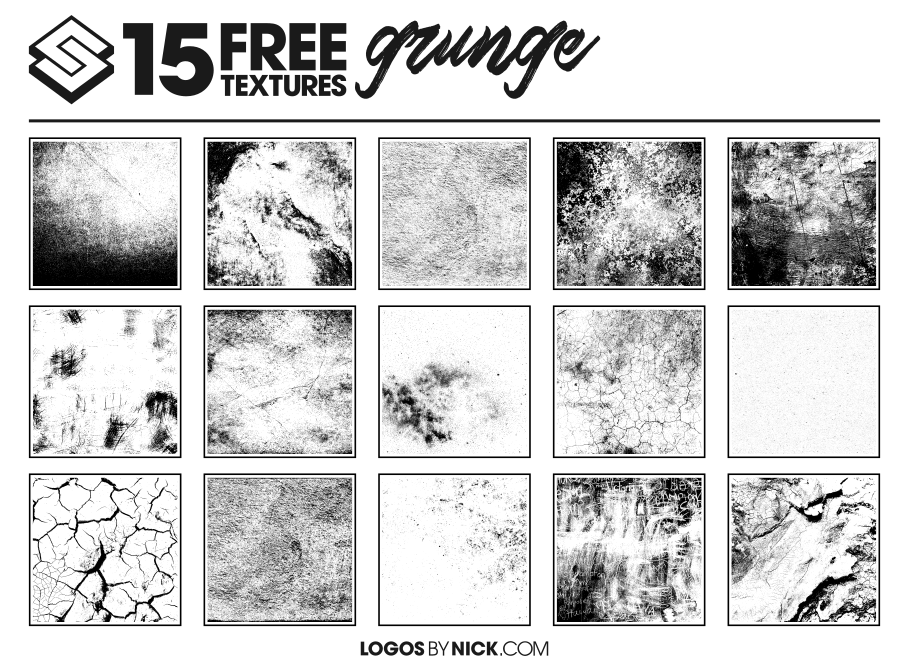
Click image to download
Having this folder handy will save you the hassle of having to create a new texture every time you look to use one, and the variety of styles should keep you from getting bored with it for a while.
How To Use with Inkscape
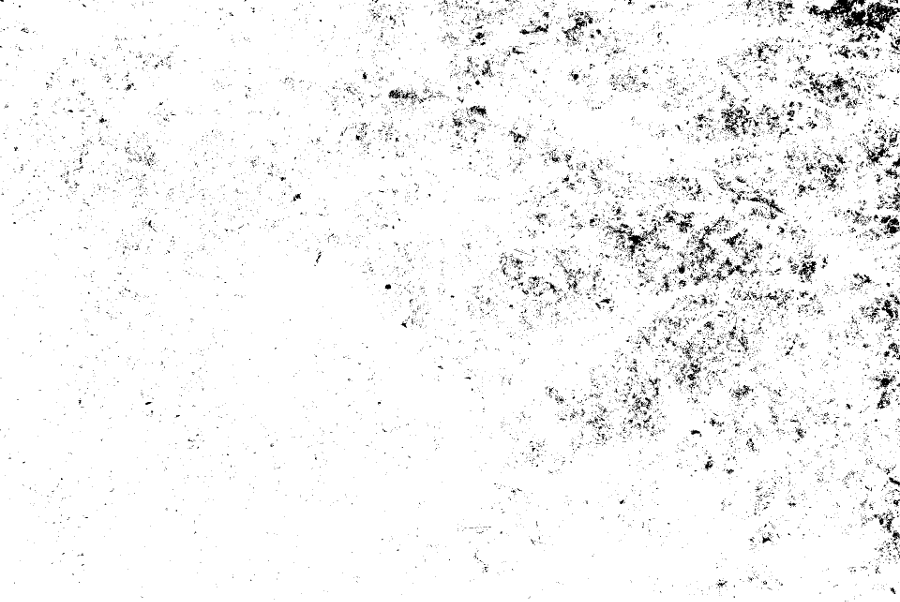
Fortunately, Inkscape makes it very easy to mask textures over an object. Simply place the texture on top of the object you’d like to apply it to, select both objects, then go to Object -> Mask -> Set. If the texture is in true black and white (like all of the textures in this bundle are,) Inkscape will create negative space in your object where the black areas are.
Here’s an example of one of the textures. Notice how it’s all black and white…
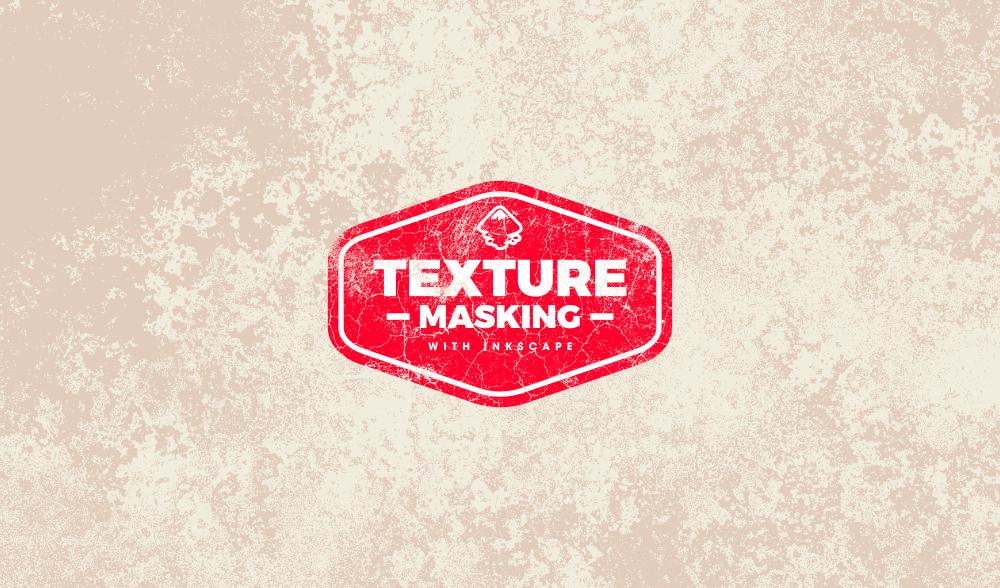
And here’s how it looks once I mask it over my emblem logo…

The masking function within Inkscape removed the portions of the emblem where the black portions of the texture image placed on top of it were.
Video Tutorial
To further demonstrate, here’s a tutorial I made in the past where I used texture masking in Inkscape. Skip to the 16:35 mark for the masking part of the tutorial.
Free Download
All 15 textures can be downloaded at this link. This is a free resource — no money, no mailing lists, no survey, no other catch. Simply download and enjoy!
Learn To Master The SoftwareGain a complete understanding of your favorite design apps with my comprehensive collection of video courses. Each course grants access to our private community where you can ask questions and get help when needed.
|
||||||||||||||||||||||||||||||||
 81 Videos
 11 Modules



You might also like
94 comments
-
-
Steve Goll
Hi Nick! I created a t-shirt design with multiple objects and would like to apply the vector grunge effect to it. I know how to do it, but since it has many different objects, is there a way to do it to the whole design instead of object-by-object?
Thanks!
-
-
Eva
Hi Nick,
Thank you very much for your templates and the explanation. It’s really easy with your instructions. After years of making art with traditional mediums, I’m learning to make digital art. Thank you for helping me on this journey. This is what I produced with your template:https://www.instagram.com/p/CDlUk-uHdLo/?igshid=1uitwowpk3ia9
Love your website, keep up the great work!
-
-
-
-
-
-
-
Torsten
Hy,
first of all!
Great Work!
Now the
witch Inkscape Version did you use in your Video-Tutorials?I hate the part in the video where I have to do:
Path / Stroke to Path
Path / Break apart
Path / UnionI took this part in the video about 10 times (Or more). But it didn’t work!!
I start a new Project, It didn’t work. The same with the next new Project. I’ll do it the whole night and didn’t sleep. Maybe I’m too stupid to do the work right.
I don’t know what is going on with me. I wanna throw my Linux PC with the installed “Inkscape Version 1.0” out of the window.
It DIDN’T work for me.Keep Calm!
Now I figured out, that Inkscape builds after Storke to Path an Objectgroup with 2 Objects! Now ungroup them and everything work like in the video.
I don’t know if is this a Problem with der Version 1.0 or Linux?
Anyway, maybe it helps some people to sleep! 😉
Greetings and best wishes from Germany
TorstenPS Maybe you can reproduce this and put it in your next videos as Tip
-
Nick Saporito
Hi Torsten, in Inkscape version 1.0 they changed the stroke-to-path function so that it retains the fill and the stroke as two objects grouped together. Unfortunately this broke some of my tutorials.
-
-
-
-
Cindy
Tried to get the textures but don’t see where to download them, are they not available anymore?
-
Nick Saporito
It’s under the “Free Download” header. Here’s a direct link: https://logosbynick.com/wp-content/uploads/2018/01/Grunge-Textures.zip
-
-
Tina
Thank you for these templates! I can’t make it work on a MAC though…I can select the logo from under the filter – any tips?
-
-
DistaBamba
Thanks for Grungggeee!
Спасибо за гранжжж!I like the scuffs on the images
It’s stylishFrom St.Petersburg
-
-
-
-
-
Anne
These are great!
I only started designing four months ago and these textures have improved so many of my designs.
Your tutorials have helped me learn a lot very quickly.
Massive Thanks! -
Kirsten
Hi Nick,
Thank you so much for all your explanation.
I am making a course about Inkscape. Could I please include your grunge textures?
I will point the students to your site of course, if you are OK with me using the textures.
Greetings from the Netherlands. -
-
-


Sıla
Thank you Nick! it helps a lot… I appriciate your work