

🎨 16 Free Logo Templates
🎨 16 Free Logo Templates https://logosbynick.com/wp-content/uploads/2026/02/header-large-1024x576.png 1024 576 Nick Saporito https://secure.gravatar.com/avatar/8e31bf392f0ba8850f29a1a2e833cdd020909bfd44613c7e222072c40e031c34?s=96&d=mm&r=gUse these 16 free logo templates as a foundation for building badges, emblems, labels and headers.
Below you will find a download link for 16 free emblem templates in vector format. They were hand-made in Inkscape (no AI used whatsoever) using simple shapes and contain clean, fluid paths:
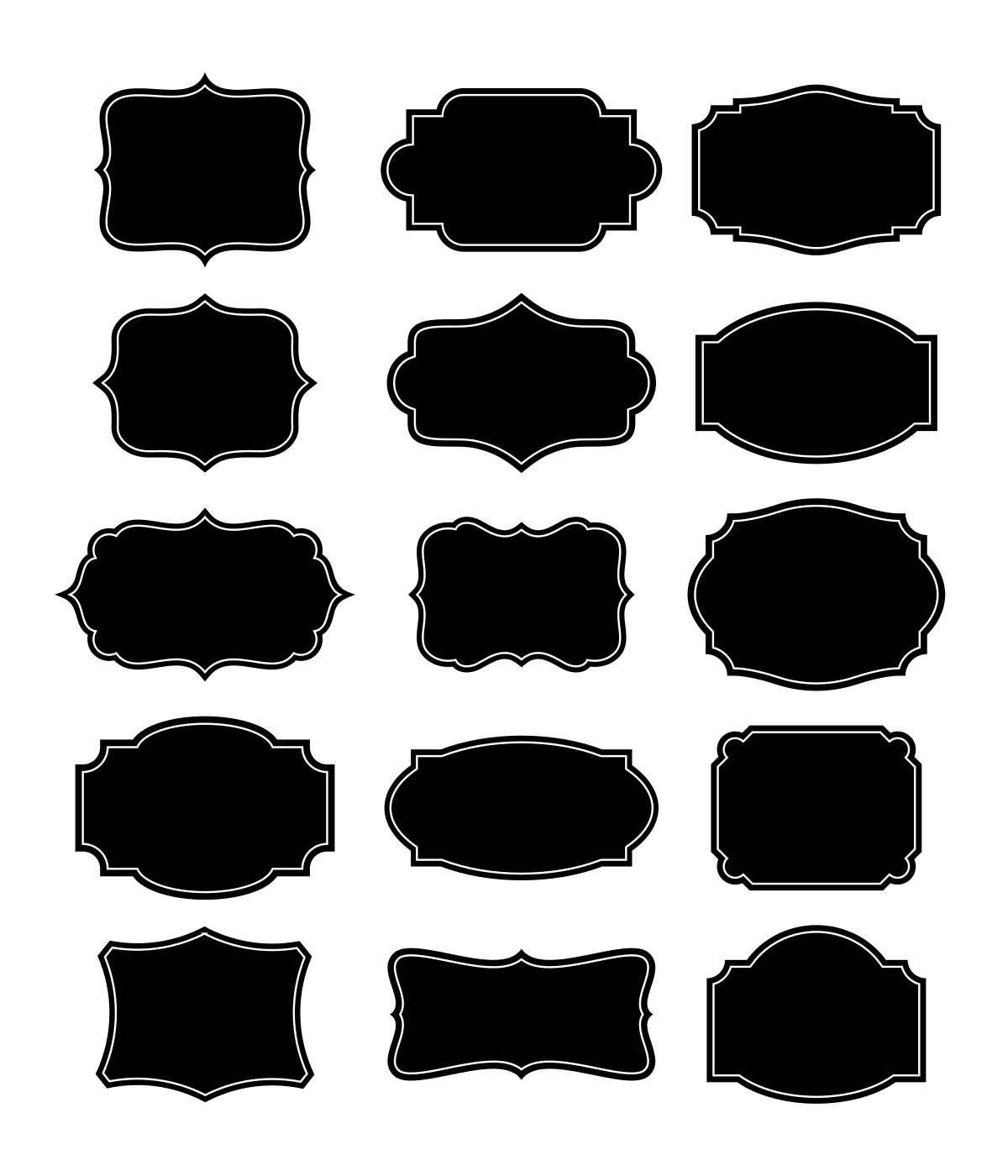
15 of the 16 templates included (click to enlarge)
Each design depicts a unique, decorative shape with an inset 2px stroke as a border. They can be used as a backdrop for any kind of emblem or label design:
They’re all included on a single sheet in a true vector format (.SVG) file that can opened and edited with any vector design application, including Inkscape, Affinity, Illustrator and more. To use them individually just ungroup them and copy and paste one of them into your workspace.
Free Download
You can download a free copy of these templates using the following link: Logo-Templates.zip
These designs are free to use and redistribute however you’d like, no attribution necessary. Feel free to leave a comment below with any feedback you may have. And if you do find a use for them I’d love to see it. Enjoy!
Learn To Master The SoftwareGain a complete understanding of your favorite design apps with my comprehensive collection of video courses. Each course grants access to our private community where you can ask questions and get help when needed.
|
||||||||||||||||||||||||||||||||
 81 Videos
 11 Modules

You might also like
19 comments
-
-
-
-
-
-
-
-
-
Anna
Thanks, Nick. I recently had need of some labels for jars so I sat down to make some. It was fun to do, but yours are so much nicer and you probably made them a lot faster than I did. Thanks again. PS. I also had need to use the Perspective path effect on my label since the little jar I was using it on was larger at the bottom than the top. It worked out so well and I was proud of the end product. I learned it all from you!
-
-
Sis
Thank you very much for another lot of very useful vectors. I can see myself using these as cartouche edges when making embroidered samplers and labels for all sorts of things. So very nice to have a selection of these in the drawer so to speak. You are very gracious to share these.
Incidentally I watched an old video of yours on YouTube today. I had forgotten how to use perspective envelope and needed it for a design with some lettering. I am so grateful that all your videos are still available. Piece of cake after I watched your tutorial.Made me decide to make time to re-watch your Inkscape course I bought several years ago.
Thanks again-
Nick Saporito
Glad you’ve found the lessons helpful. Hopefully the video you watched wasn’t too old. There’s a perspective/envelope path effect now that makes it much easier than the extension I demonstrated way back in 2015.
-
Sis
The video I watched was from 2017 and it used the path effects. I knew about the path effects feature I just couldn’t remember how to use it the way this video shows and it was exactly the way I wanted to use it (individual letters – not an entire word). Inkscape has come a long way and things have moved around over the years but even older videos are still useful for forgetful people like med ;-D
-
-
-
-
-
-
-
-


Dmitry
Huge thanks for the templates, Nick. But I’m even more grateful for your wonderful tutorial on the principles behind building these and many other cool shapes.