


16 Spring-Themed Pattern Fill Tiles | Free Download
16 Spring-Themed Pattern Fill Tiles | Free Download https://logosbynick.com/wp-content/uploads/2026/03/header-1024x576.png 1024 576 Nick Saporito https://secure.gravatar.com/avatar/8e31bf392f0ba8850f29a1a2e833cdd020909bfd44613c7e222072c40e031c34?s=96&d=mm&r=gDownload this free pack of spring-themed pattern tiles that can be used as a fill property when designing headers, backgrounds, and merchandise.
Below you’ll find a download link for a pack of 16 vibrant spring patterns. They come as rasterized image tiles in PNG format:
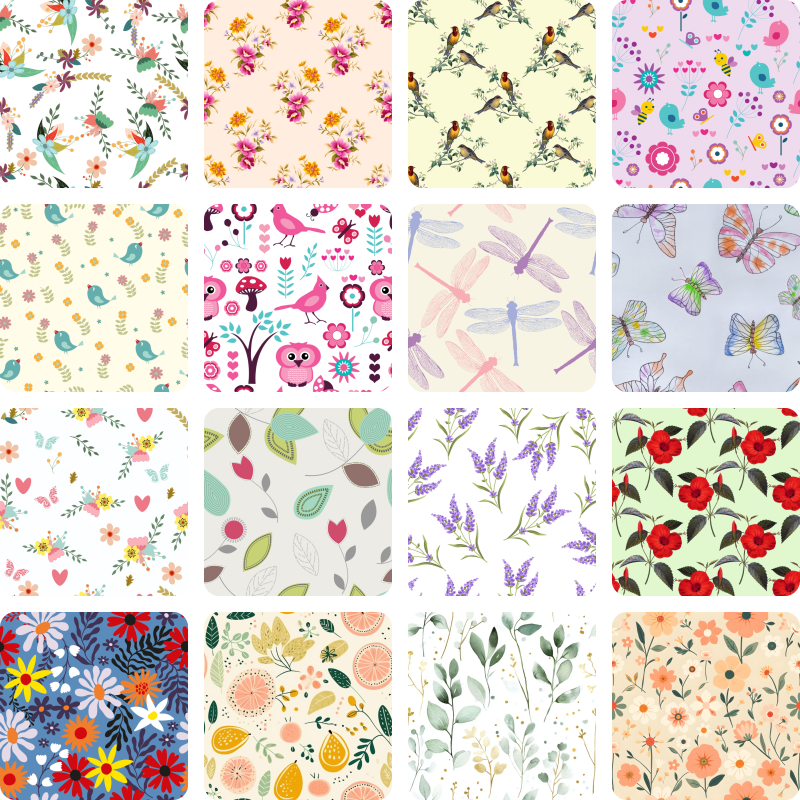
All patterns included. Click to enlarge.
They’re designed in such a way that when duplicated and placed next to each other, they repeat infinitely and seamlessly:
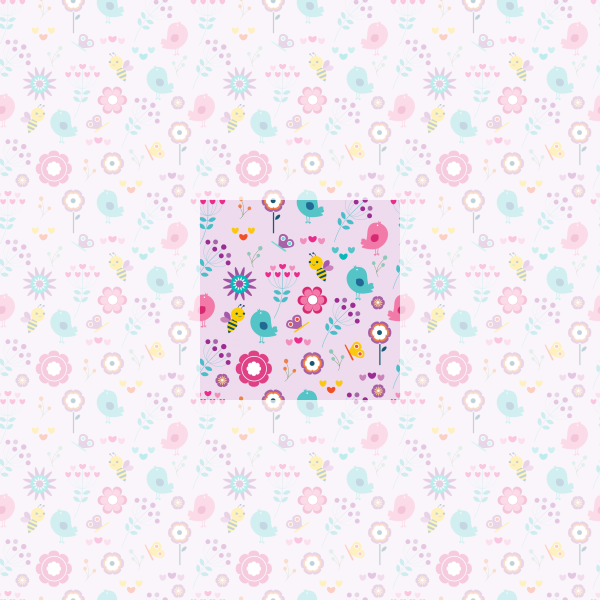
The tiles repeat seamlessly when duplicated and placed next to each other.
Each pattern tile was hand-picked and sourced from public domain imagery.
Because they’re repeatable, they can be used as a fill property when designing headers, social media posts, or any kind of background. You could even use them to create merchandise.
Free Download 👇
You can download a zip folder with all 24 floral patterns here: 16-spring-patterns.zip
They pair well with the floral patterns that I released last year. Check that out if you want to add to your collection.
As previously mentioned, these are public domain images, so they can be used however you’d like. Leave a comment below to let me know what you think and thanks for stopping by!
How To Use These Patterns
Here’s how you can use these pattern tiles, depending on your application of choice:
Inkscape Users
Simply drag and drop one of the pattern tiles onto the canvas, select it, then go to:
Object > Pattern > Objects to Pattern
Once you’ve done that, you can grab the Nodes Tool and click and drag the transformation handles to scale and rotate the pattern.
They can be applied to other objects as a pattern fill using the Fill & Stroke menu.
Affinity Designer Users
For Affinity Designer, you’ll have to use the Gradient Tool. Select the object with the tool then choose Bitmap from the Type dropdown at the top of the screen where the tool settings menu is.
When prompted, locate one of the pattern tiles on your hard drive and select it to apply it.
Watch the following video tutorial if you’d like a step-by-step walkthrough:
Adobe Illustrator Users
And finally, Adobe Illustrator users can apply these pattern tiles using the technique in the following tutorial:
Because they are just PNGs, these patterns will also work in any other application as well!
Learn To Master The SoftwareGain a complete understanding of your favorite design apps with my comprehensive collection of video courses. Each course grants access to our private community where you can ask questions and get help when needed.
|
||||||||||||||||||||||||||||||||

 81 Videos
 11 Modules




Leave a Reply